Showing posts with label Technical Problems. Show all posts

Saturday, 17 March 2012

Windows password recovery

Ophcrack is a free Windows password cracker based on rainbow tables. It is a very efficient implementation of rainbow tables done by the inventors of the method. It comes with a Graphical User Interface and runs on multiple platforms.
1-Download Ophcrack XP Live CD or Ophcrack Vista Live CD  depending which windows you want to crack.Ophcrack Vista Live CD will also work to crack Windows7 login password.
2-Download and run tazusb.exe.
3-Select Ophcrack iso image file and then pen drive.
4-Make pendrive bootable.
5-Reboot and change boot order to usb storage.
When ophcrack will open as an OS you can see the password of your Windows.
Ophcrack is Live USB so it is not going to affect Windows and it will crack Windows Login Password. 

Thursday, 15 March 2012

Turboc++3 fullscreen in windows7 32 bit with graphics

 Use Turboc++3 in windows7 32 bit with graphics.
 Install tc++3. You can get here.
 Just follow the screenshots.To see fullscreen image click on image.
1- Click on left corner blue rectangle type image and go to properties.
2-Click on Font tab and choose Lusida Console & choose 28 size.
3-Choose Layout tab
   a-Choose screen buffer size Width:80, Hight:25.
   b-Window size Width:80, Hight:25.
   c-Window position Length: -4 ,Top: 4.
   d-Uncheck Let system position window.


Note:It is not completely the fullscreen but it is modified to fullscreen.


Install Ubuntu inside Windows.

Install Ubuntu inside Windows.
1-Open Daemon Tools Lite. You can get here.
   Click to add ubuntu iso file from hard disk as in the snapshot.
2-Choose iso image file to add.
3-Click to add Virtual device as in screenshot.
4-A virtual device will be added down.
   Right click on iso image path shown below image catalog and choose mount then virtual    device and wait for few seconds.
5-Click on Run Wubi.exe.
6-Select Install inside windows. 
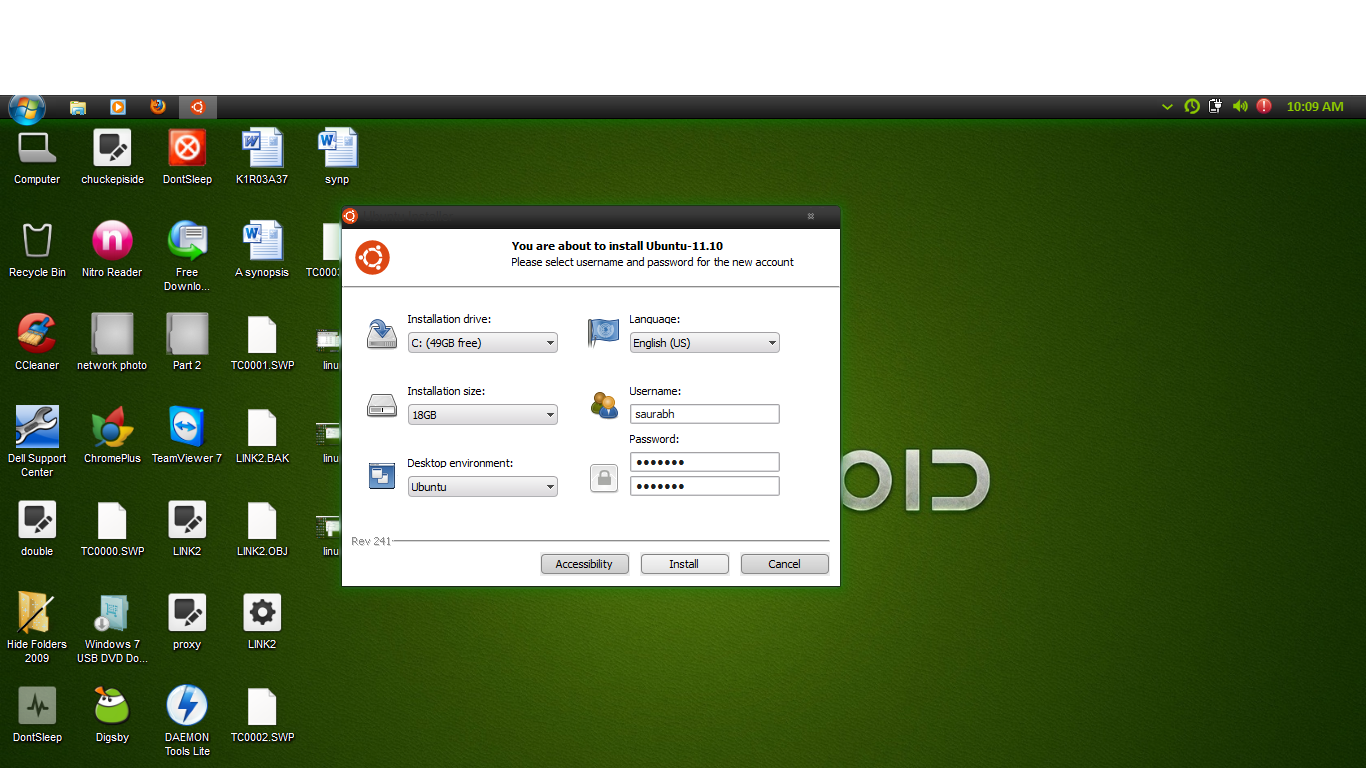
7-Select Installation drive, Installation size, Desktop Environment.
   Write Username: & Password:
  Then click on OK.
8-An  intial installation will start then select reboot.
Note:-When computer reboot Press ESC as it tells  and choose Normal Mode and wait for completion of installation.


Ubuntu Netbook Edition to Desktop Edition

Switch Ubuntu Netbook Edition to Ubuntu Desktop Edition or Safe Mode.
1-Go to  Applications in ubuntu netbook edition and choose Login Screen.
2-Unlock Login Screen by entering password.
3-Choose Ubuntu Desktop Edition or Safe Mode if you want to open in safe mode.
Note-When you will reboot your compter Ubuntu will be changed to Desktop Edition.


Emulated Turbo C++

Turbo C++ in Windows7 64-bit.
Emulated Turbo C++ can allow you to use turbo c++ in window7 64-bit.
You don't have to install dosbox mannualy ,it is already in the rar file.
You don't have to give command everytime.
The software is only going to work when you have external graphics card.
You can get here.